How limo dispatch software works
Limo dispatch software follows each trip from booking to invoice. A booking arrives and gets priced from your rates, then lands on a live board. A driver takes it, the passenger gets texts, and the finished trip turns into an invoice and a payroll line. This page follows one trip through Pro Dispatch Limo, step by step.
What is dispatching software?
Dispatching software is a shared, live list of jobs and the people doing them. It decides or helps decide who does each job, then tells everyone what is happening as it happens.
How is limo dispatch different from taxi dispatch?
Taxi dispatch sends the nearest car right now. Limo dispatch plans ahead: most trips are booked hours or days early, at a set price, for a set vehicle. Many are airport runs tied to a flight.
The life of a limo trip in seven steps
Our example is a 5:30 AM pickup to Pearson Airport, booked the night before.
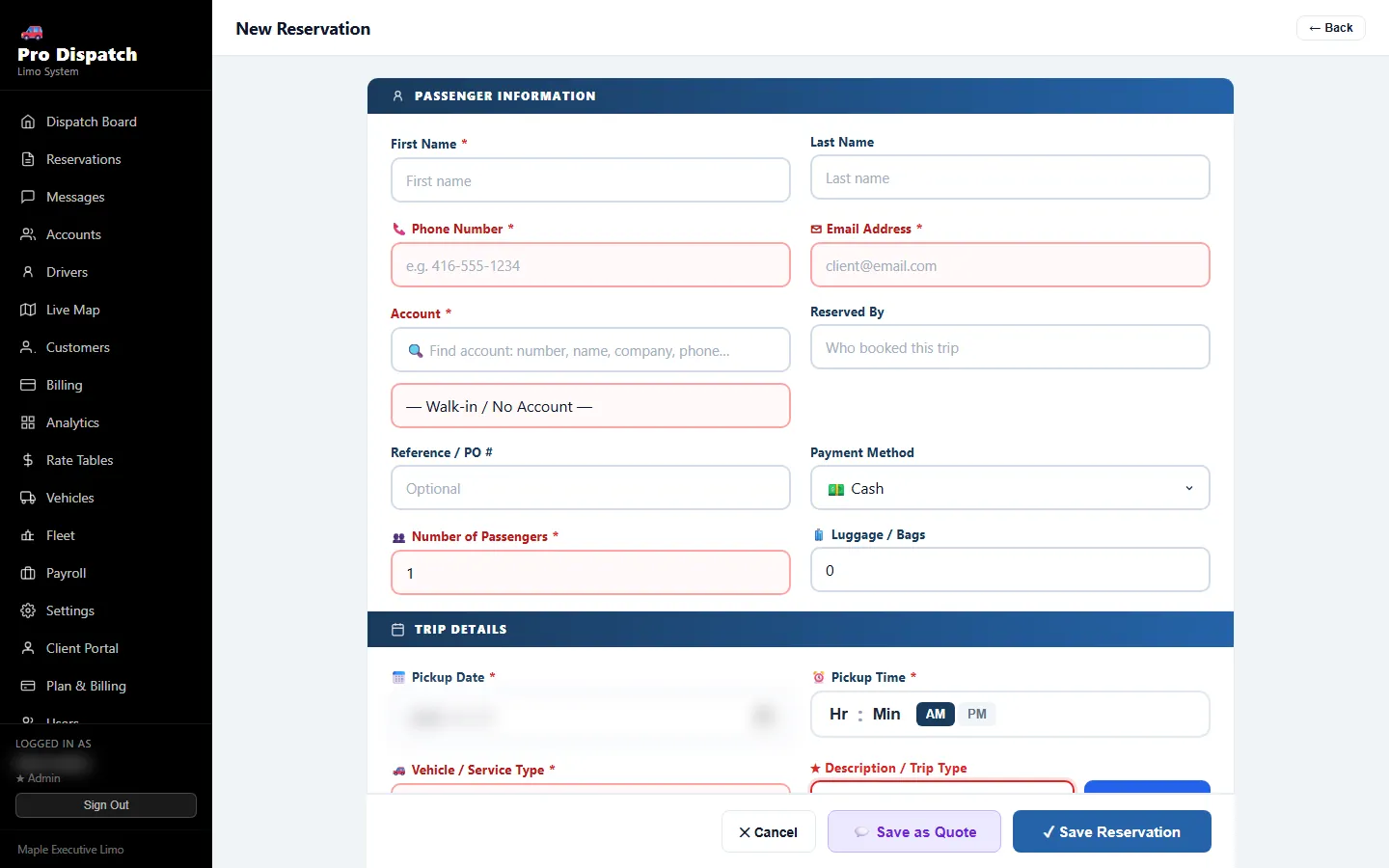
A booking comes in
It can start on your website's booking form or in a call that Ashley answers. It can also come from the client portal, the client app or a dispatcher typing it in. A partner company can also send it to you through PD Network.
Every door leads to the same reservation, so nothing is kept on paper or in a separate inbox.
The price is worked out
The fare comes from your rate table for that city and vehicle. Airport fees, tax, extra stops and baby seats are added by the rules you set.
On the website form the client sees the total while filling it in. That means fewer "how much?" calls before a booking.
It lands on the live board
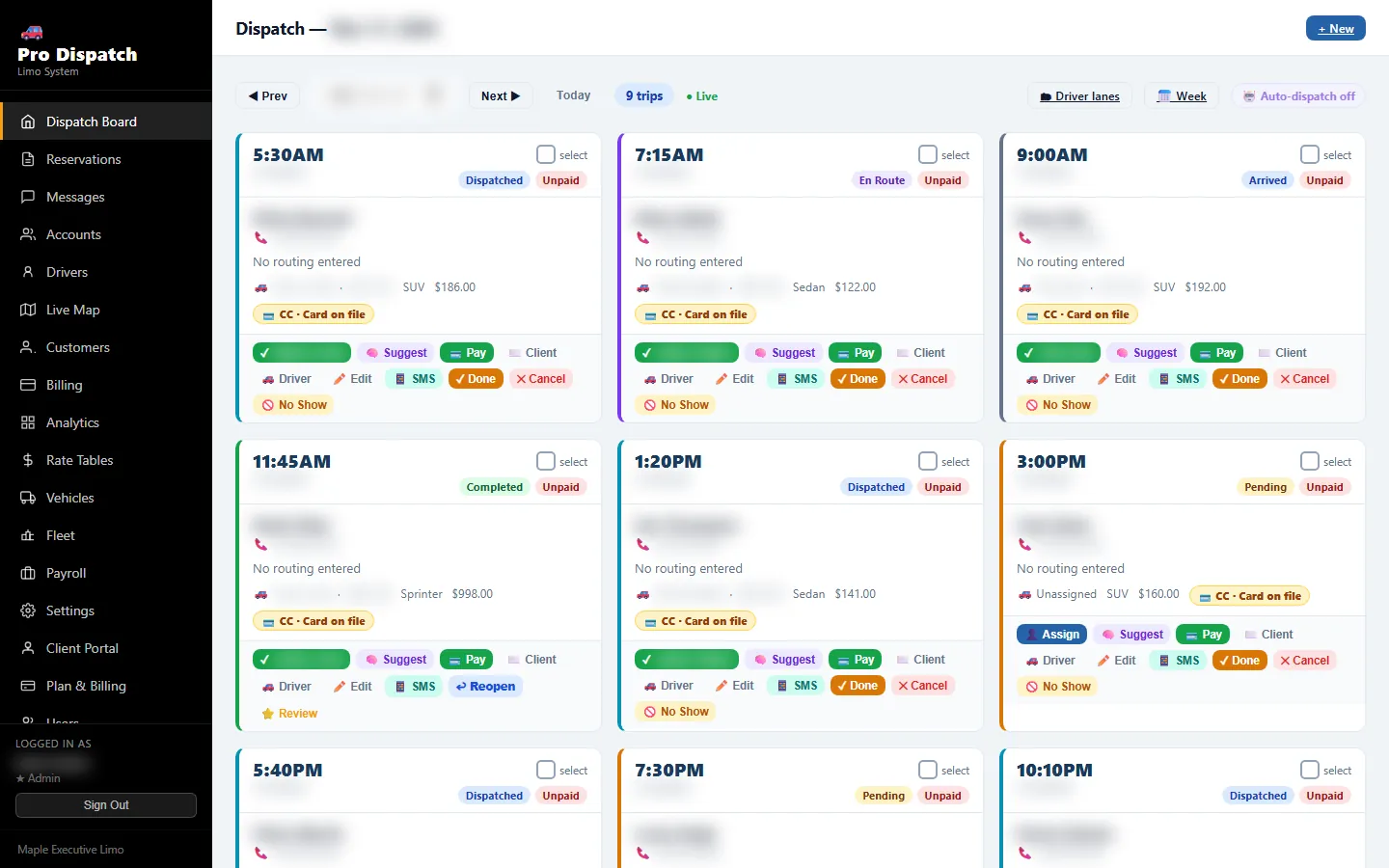
Within 15 seconds the trip shows on every dispatcher's screen. Driver lanes show each chauffeur's day as a column, and the week calendar flags runs that still have no driver.
The client gets a confirmation by email, and by text for website bookings.
A driver is assigned
A dispatcher can drag the trip onto a driver's lane. Or, on Pro, auto-dispatch offers it to the best free driver with a 3-minute timer, then to the next.
A driver whose licence or insurance has expired is never offered the run.
Driver and passenger stay informed
The driver receives the trip by email and text, with buttons for En Route, Arrived and Completed. The passenger gets reminders 24 hours and 2 hours before pickup, then a text as each button is pressed.
For airport pickups, flight tracking warns the office if the plane is early or late.
The trip is completed
When the driver presses Completed, the passenger gets a thank-you text. A Google review request follows, so happy riders can say so where new clients look.
Billing, payroll and reports
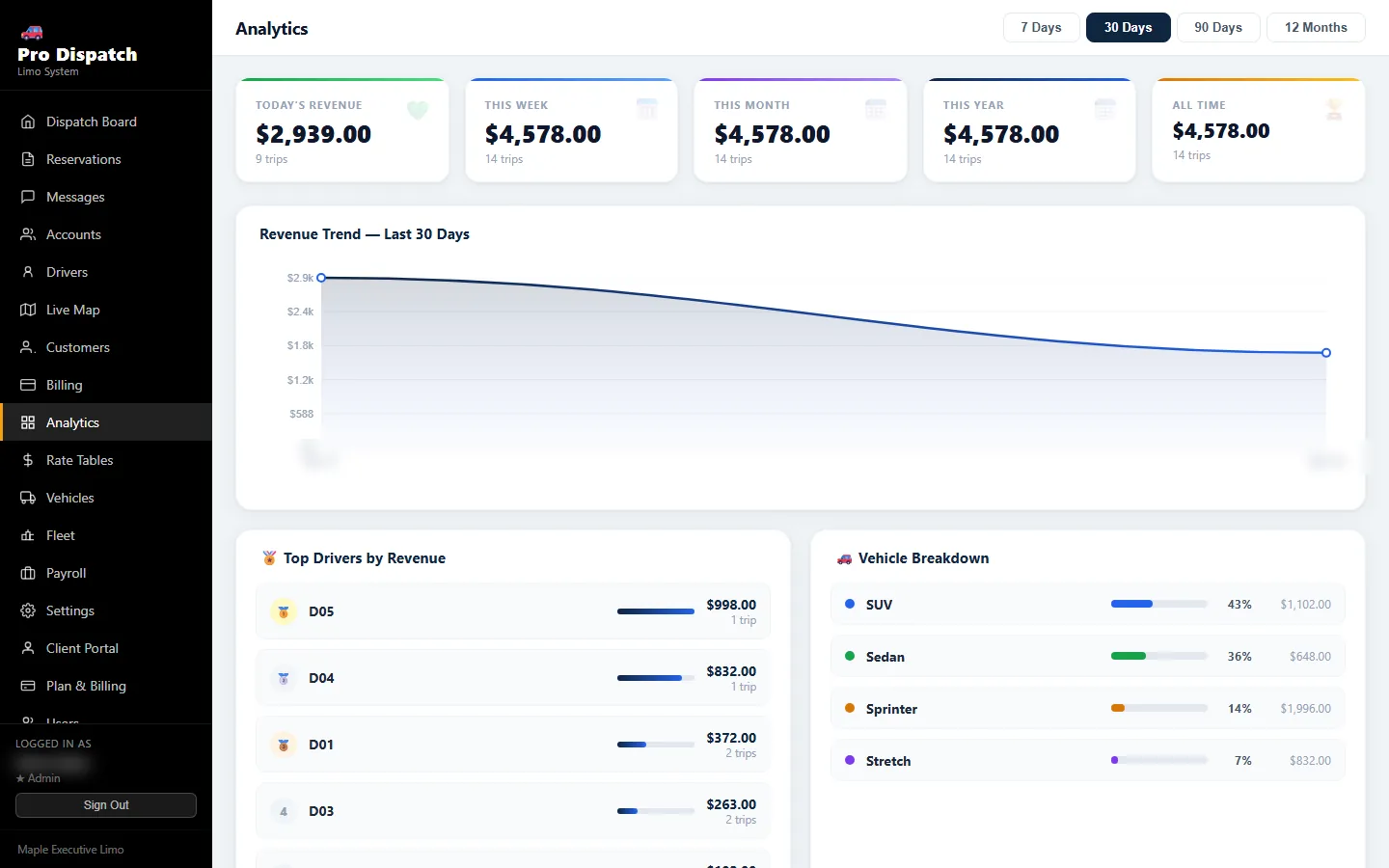
A corporate trip goes onto a branded invoice. The driver's share is counted by commission or flat rate for payroll. The trip feeds the revenue charts, so you can see your best days, drivers and vehicles.
What the office, the driver and the passenger each see
A dispatch system has three users, and each one needs a different screen. All three read the same trip, so nobody works from an old copy.
The office
The board, lanes, calendar, fleet vault, invoices and payroll, in any web browser. Admins and dispatchers get their own permissions.
The driver
The driver app shows today's runs, takes offers, sends status taps and shares location on duty. Without the app, the links in each dispatch text do the same job.
The passenger
The client app and portal let riders book with the price shown, watch the car on a map, and keep invoices. Texts keep them posted either way.
The driver app and client app run on Android and are not in the app stores yet. Ask our team for the current build.
The clock behind the system
These are the default numbers the software runs on. Several of them, like the offer timer, you can change.
Set up your company in six steps
You can do this yourself during the free trial. The board works after step four, and the rest adds texting and web bookings.
Sign up
Use Google or email. Your company space and 14-day trial start at once.
Add company details
Name, phone and the email address your confirmations come from.
Enter your rates
One fare per city and vehicle. Every booking prices itself from here.
Add drivers and vehicles
Include their papers, so expiry reminders start working.
Connect texting
Twilio, Vonage, Sinch, or an Android phone with SMSGate.
Add the booking form
Paste one line of code on your website, or share the hosted link.
Questions about how it works
How does dispatch software help grow a limo business?
It lets the same office handle more trips. Bookings price themselves, the board keeps everyone in sync, and drivers get runs without a phone call. Review requests after each ride build your Google reviews, and website forms keep taking bookings overnight.
What parts does a dispatch system need (office, driver, passenger)?
Three: an office screen to book and assign, a way to reach drivers, and a way to update passengers. Pro Dispatch Limo has a web board for the office, a driver app plus texts for drivers, and a client app, portal and texts for passengers.
Is there a learning curve with dispatch software?
Some, but the board looks like the day you already plan: a list of trips by time. Most of the work is setup, which means rates, drivers and vehicles. Drivers can start with just the links in their dispatch texts.
Can I bring my data from my old system?
Yes. You can bring your database over from Limo Anywhere, Limosys, LimoWiz and other systems, so you don't retype clients and accounts. Call 416-836-6422 if you want help with a move.
What happens to a booking made at 2 AM?
It goes on the board like any other. A website booking confirms by email and text right away. A phone booking is taken by Ashley on AI Elite. If auto-dispatch is on and the trip is inside your set hours, a driver gets the offer before pickup.
Is my data backed up?
Yes. A full copy of your data is saved every 12 hours, and getting it back takes one click. Card numbers are stored encrypted with AES-256.
Book a test trip and follow it through
Sign up, add one driver and book a ride for yourself. You will see every step on this page happen on your own board. The first 14 days are free and need no card.